MultiTest
Calibration and sharpness in one run
MultiTest is FoCal's most thorough test: in a single run it finds the best AF Fine-Tune value and measures sharpness across the aperture range, along with focus consistency, focus shift, vignetting and more.
What you get
- The best AF Fine-Tune value for the lens. MultiTest reports it but leaves the camera's setting as it was: enter it yourself, or run Fully Auto to set it.
- Sharpness across the apertures, like Aperture Sharpness.
- Focus consistency, focus shift, vignetting and more, from the same shots.
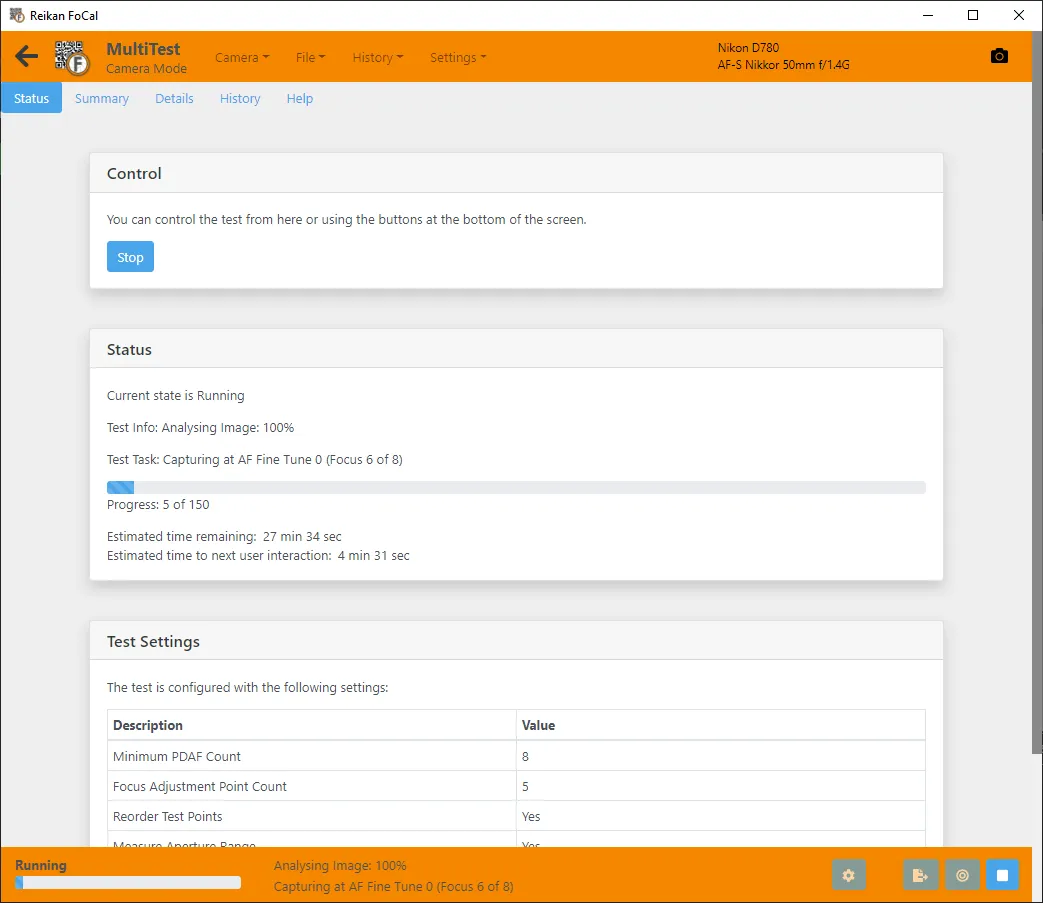
How it runs
1Set up
Set up the FoCal target and connect your camera, then open MultiTest from the Camera page.
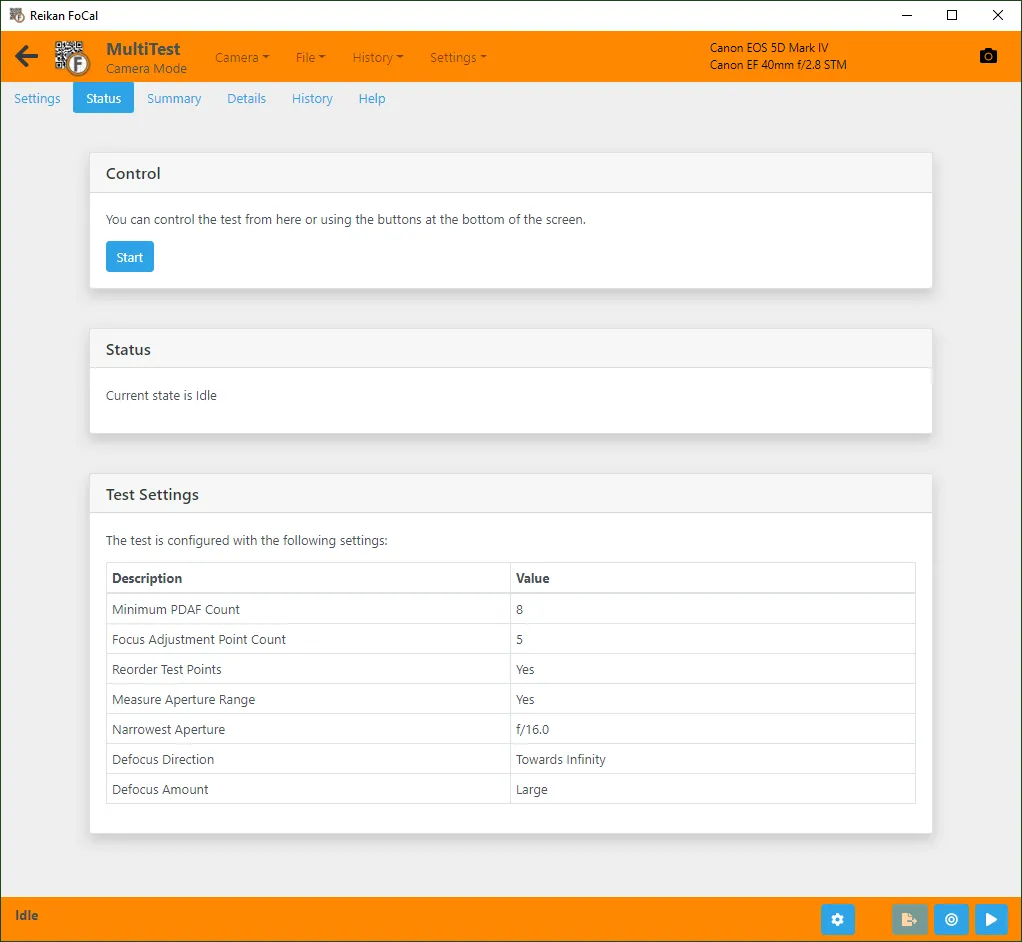
2Run the test
Hit Start: FoCal works through calibration and the aperture range, showing the time remaining as it goes.
3Your answer
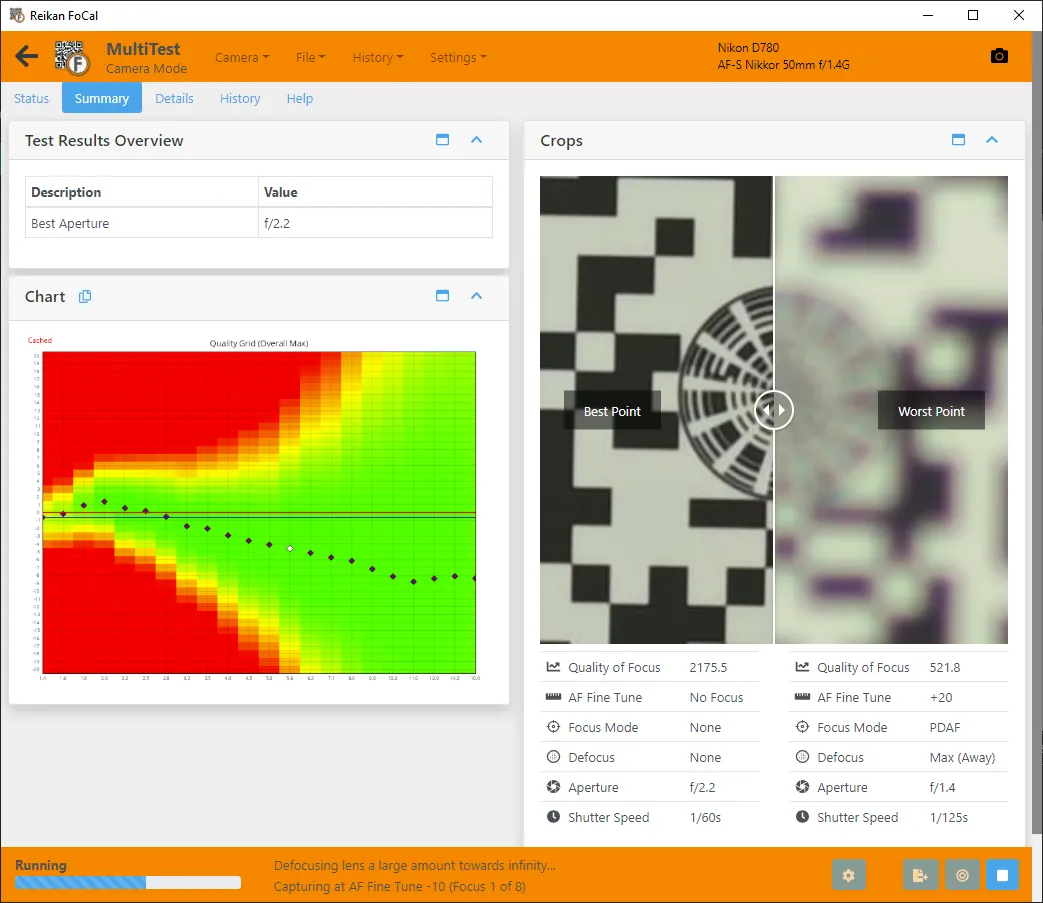
Get the calibration and the sharpness results together.
Your results
The Summary shows the calibration and the sharpness results from one run.
Over time
In FoCal Pro and Commercial, History → Analysis includes MultiTest results in the Optimal … over time chart (named after your camera's setting, e.g. Optimal AFMA over time), and in Sharpness (wide-open vs peak) over time when the test's Run Aperture setting is on.
How often: As part of your Kit Health Check: every few months, or monthly for the best trends. Over time it shows changes in the best AF Fine-Tune value and in sharpness, in one run.