AF Consistency
On this page
The AF Consistency test shows how repeatably your camera and lens focus. FoCal defocuses the lens, lets the camera autofocus, and measures the sharpness of the shot. It repeats this for each point in the test. The closer the results are to each other, the more reliable your autofocus.
A perfectly calibrated lens still gives soft pictures if the autofocus lands in a slightly different place each time, so this test complements calibration.
The AF Consistency test needs FoCal Pro.
Before you start: calibrate
The test uses the camera's current AF Microadjustment / AF Fine Tune. If the lens isn't calibrated and you test phase-detect (viewfinder) autofocus, the shots will be less sharp and the results will look worse than they should, especially against the FoCal Comparison Data.
If you are unsure whether the lens is calibrated, check it with AF Check or run a Focus Calibration first. Kit Check runs a calibration, then AF Consistency, in one go.
Opening the AF Consistency test
With a camera connected, choose Camera › AF Consistency from the menu. On the Camera page, it's under Kit Check in Step 2: click Run one part on its own, then Open on the AF Consistency row (on a camera without AF fine-tune, it's in Step 2 itself).
To analyse shots you have taken yourself, use File › AF Consistency (File Mode).
Set up the camera and target correctly before you run the test. Run Target Setup first and clear any errors, otherwise the results may not be accurate. See the setup guide for details.
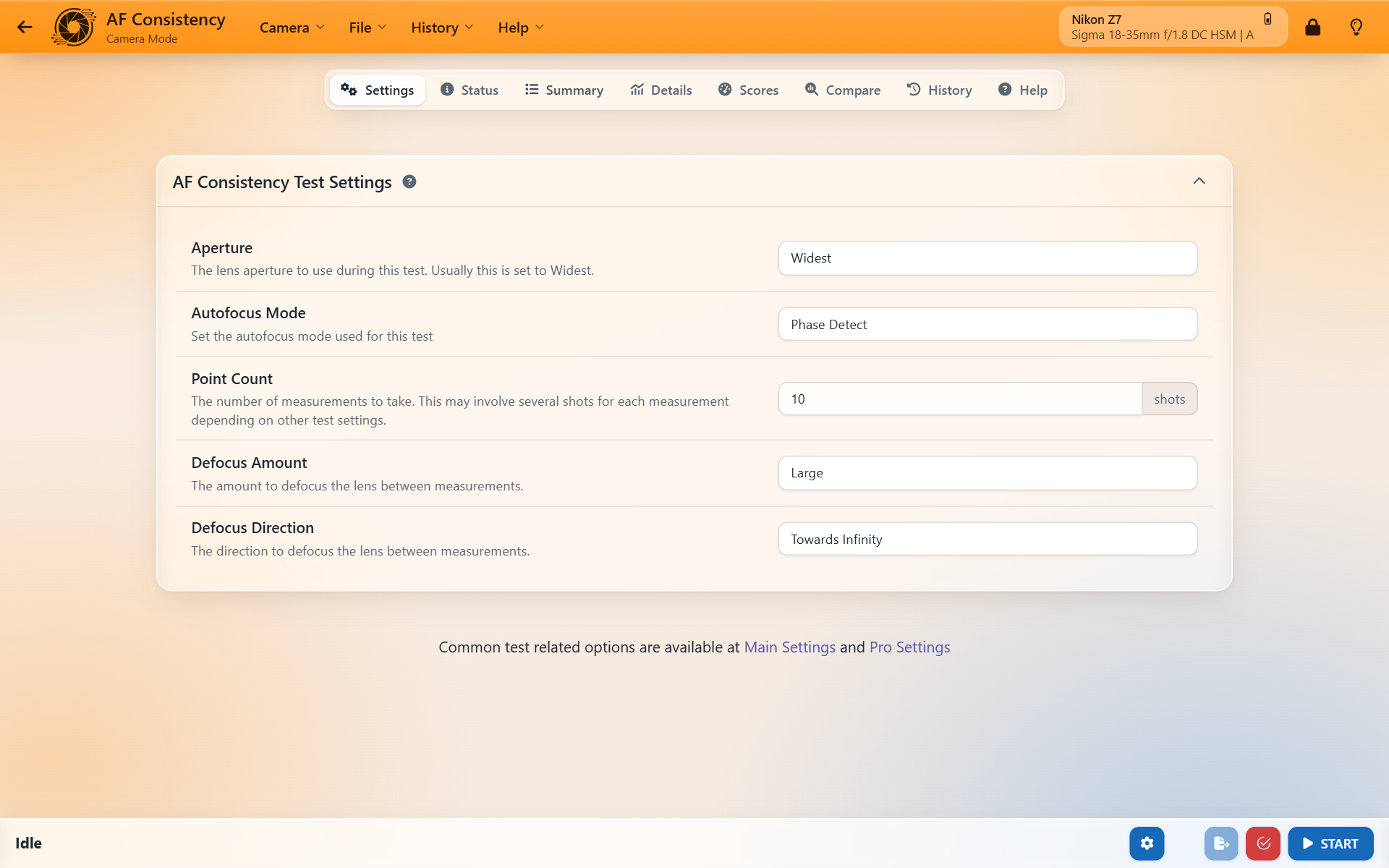
Settings
The Settings tab shows the settings for this test. The defaults suit most uses. See Settings – AF Consistency.
Running the test
When Target Setup is happy, press Start.
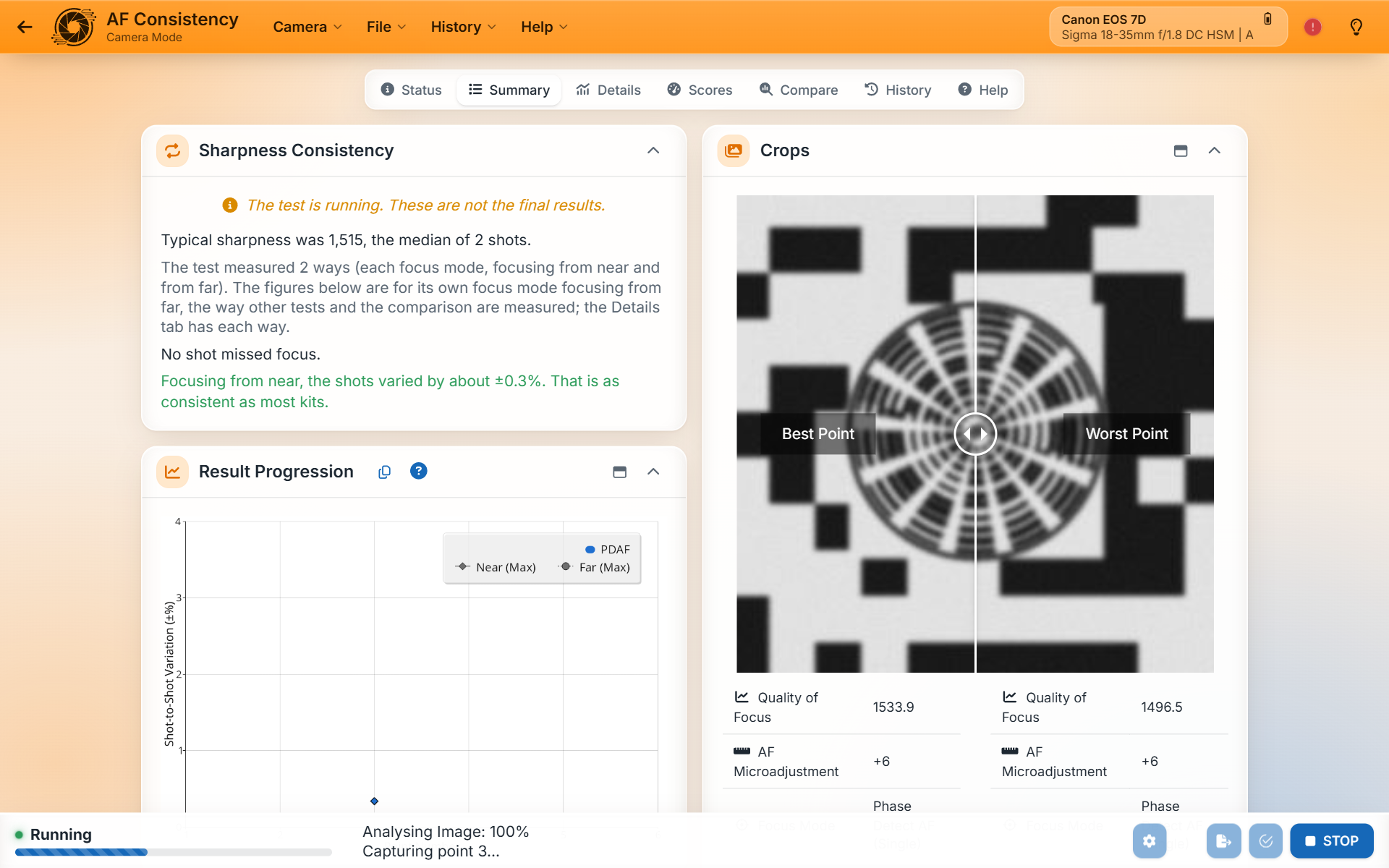
For each point, FoCal defocuses the lens (as set by Defocus Amount and Defocus Direction), then the camera focuses using the Autofocus Mode you chose. FoCal takes the shot and measures it. The charts update as the test runs, with FoCal Comparison Data bands where available.
Leave the camera and tripod alone while the test runs. You can look at the charts and crop images during the test, but the results aren't final until it finishes.
From near and from far
By default, FoCal tests each point twice: once with the focus moved towards infinity, so the camera focuses from far, and once towards the camera, so it focuses from near. You can also test with both phase-detect and live view autofocus (if the camera supports both). Each combination becomes its own data set: on the charts, colour shows the autofocus type, and the marker and line style show where focusing started; the results show a grid with one value for each. See Settings – AF Consistency.
The autofocus often lands in a slightly different place depending on where it starts, so the two directions aren't mixed together:
- The headline result (its summary, scores, History and Maintenance Watch) uses the test's own autofocus type focusing from far, the way most results and the FoCal Comparison Data are measured. If the test has no shots from far, it uses from near.
- Focusing from near gets its own line, compared with other results from near, with how much it varied and any missed shots.
- If the shots from near were typically 3% or more sharper or softer than from far, the result says so.
Further Details
Summary tab
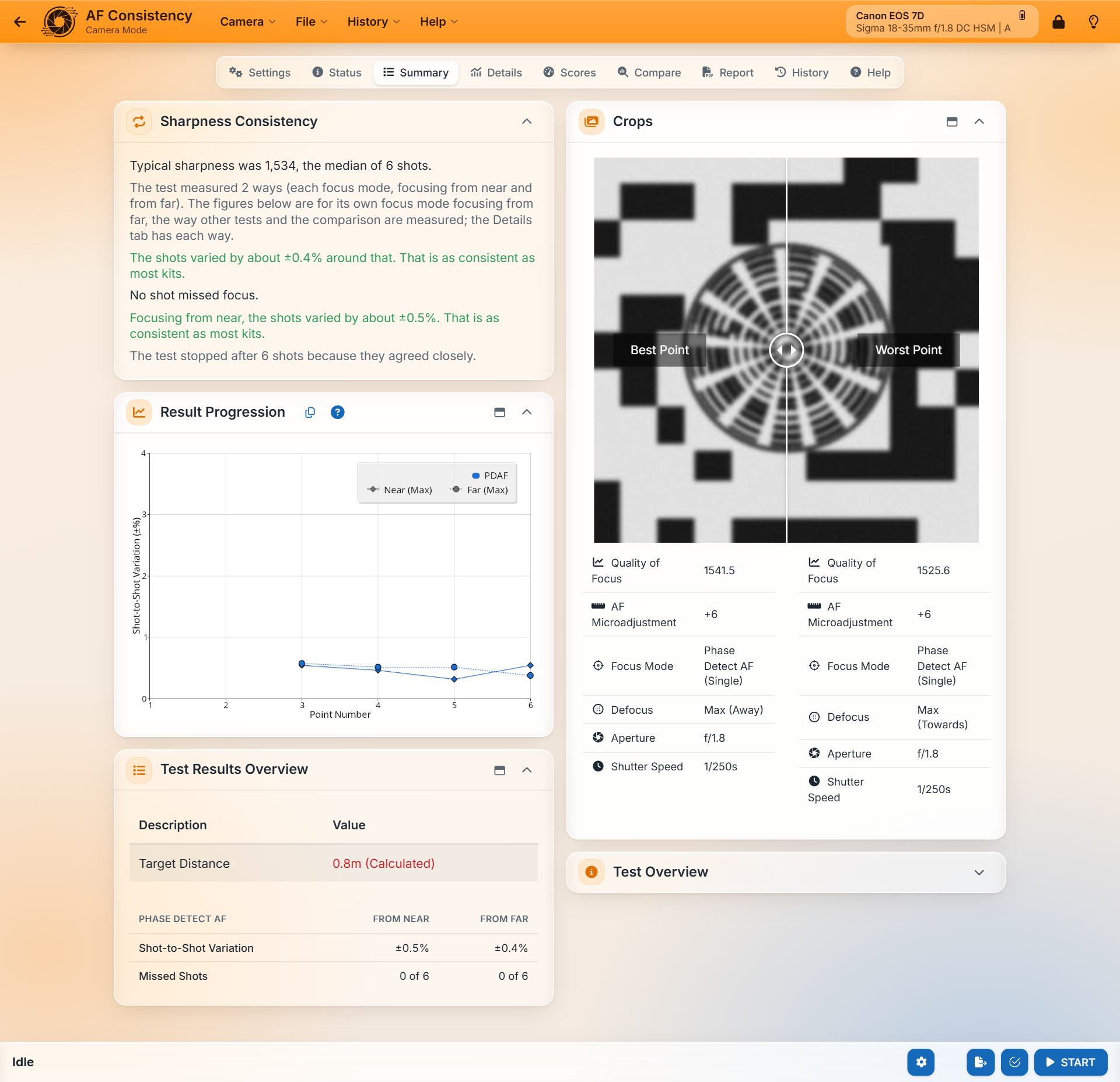
The Summary tab shows the main result: your typical sharpness, how much it varied from shot to shot compared with most kits like yours, and how many shots missed focus. With shots from near and from far, the figures are from far, with a line for from near. It also shows the target distance and the Results Progression – AF Consistency chart.
Details tab (FoCal Pro)
The Details tab has:
- Charts covering sharpness, consistency, astigmatism, colour and image movement.
- Detailed results.
- A list of every shot.
- The capture settings for the selected shot.
- Crop images, including the analysed area of the selected shot.
See Details – AF Consistency for more information.
Charts
The AF Consistency test has these charts (select one for details):
Quality of Focus – AF Consistency
Results Progression – AF Consistency
Astigmatism Factor – AF Consistency
Red-Blue Ratio – AF Consistency
Red-Blue Quality – AF Consistency
Dual Pixel Raw Focus Offset – AF Consistency
AF/Capture Time - AF Consistency
Image Motion (2D) - AF Consistency
Scores tab (FoCal Pro)
The Scores tab rates parts of the result: shot-to-shot variation, missed shots and autofocus time against kits like yours, image motion and astigmatism. They use the headline result, from far.
Compare tab (FoCal Pro)
The Compare tab shows how your results compare with other FoCal users of the same camera and lens (FoCal Comparison Data). It replaces the Typical tab from earlier versions.
See Compare Tab for more information.
Report tab (FoCal Pro)
The Report tab saves a PDF summary of your results. You can also save a CSV file of the figures for your own analysis.
See Report Tab for more information.
History tab (FoCal Pro)
The History tab lists earlier tests of the same camera and lens, with a summary of each. Double-click a test to open it, so you can see how your equipment has changed over time.
See History Tab for more information.
Help tab
The Help tab explains what the test is for, how to run it and how to read the results, with a link to this online help.