Settings - Calibration Check (before FoCal 6.1)
On this page
Note: from FoCal 6.1, Calibration Check is AF Check's Hands-free method, and Point Count and Peak Search Interval are no longer used. For the current settings, see AF Check Methods and Settings. This page describes the settings of Calibration Check results from before FoCal 6.1.
The default settings suit most people. The Settings tab has these options:
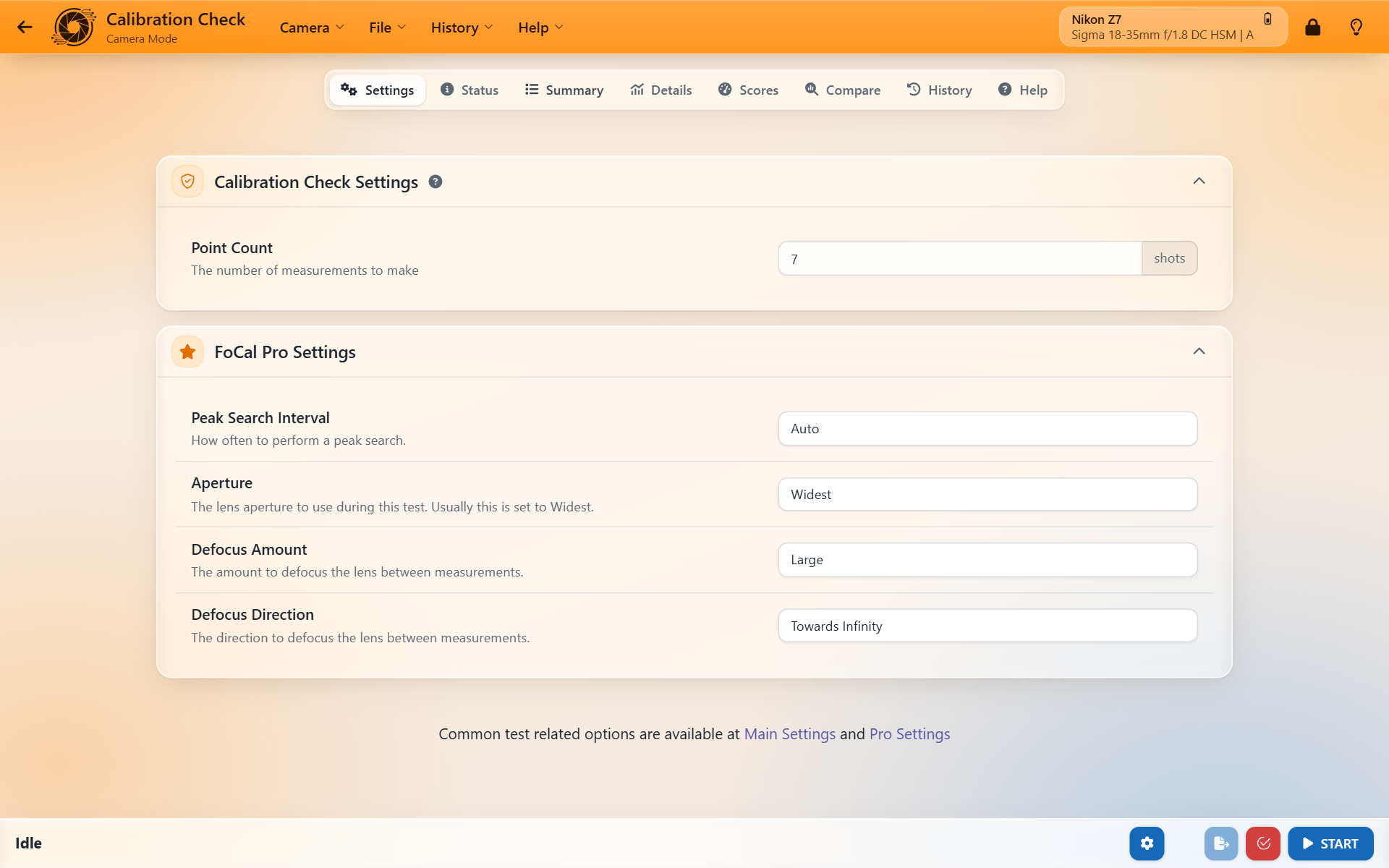
Point Count
The number of measurements to make (default 7). Each measurement includes a normal autofocus shot and a reference.
More measurements make the test longer but can make the result more reliable. Going much above 8 is unlikely to change the result much.
FoCal Pro settings
These settings are only available in FoCal Pro. Without FoCal Pro they are shown but can't be changed.
Peak Search Interval
How often FoCal runs its own peak search to find the sharpest possible focus for the reference:
- Auto (default): FoCal decides.
- No Peak Search: the reference is a Live View autofocus shot instead.
- Every measurement.
- Every other measurement.
Aperture
The aperture to use for the test. The default, Widest, is usual. If you mostly shoot at a particular aperture, you can check the result at that aperture instead.
This sets the aperture used to take the shot. It is not necessarily the aperture the camera uses to focus: that depends on the camera.
If no apertures are listed, set the camera's exposure mode to Aperture Priority (A or Av).
Defocus Amount
Between measurements, FoCal moves the lens away from focus so that the autofocus has to work each time. Choose None, Small or Large (default).
Defocus Direction
Which way to move the lens away from focus between measurements:
- Towards Infinity (default): usually best, because you are normally much closer to the lens's minimum focus distance than to infinity.
- Towards Camera: useful when the lens is focused close to infinity.
This setting is disabled when Defocus Amount is set to None.
Settings common to all tests are under Main Settings (and Pro Settings in FoCal Pro). There is a link at the bottom of the Settings tab.