Settings – AF Consistency
On this page
The Settings tab holds the AF Consistency Test Settings. The defaults suit most uses.
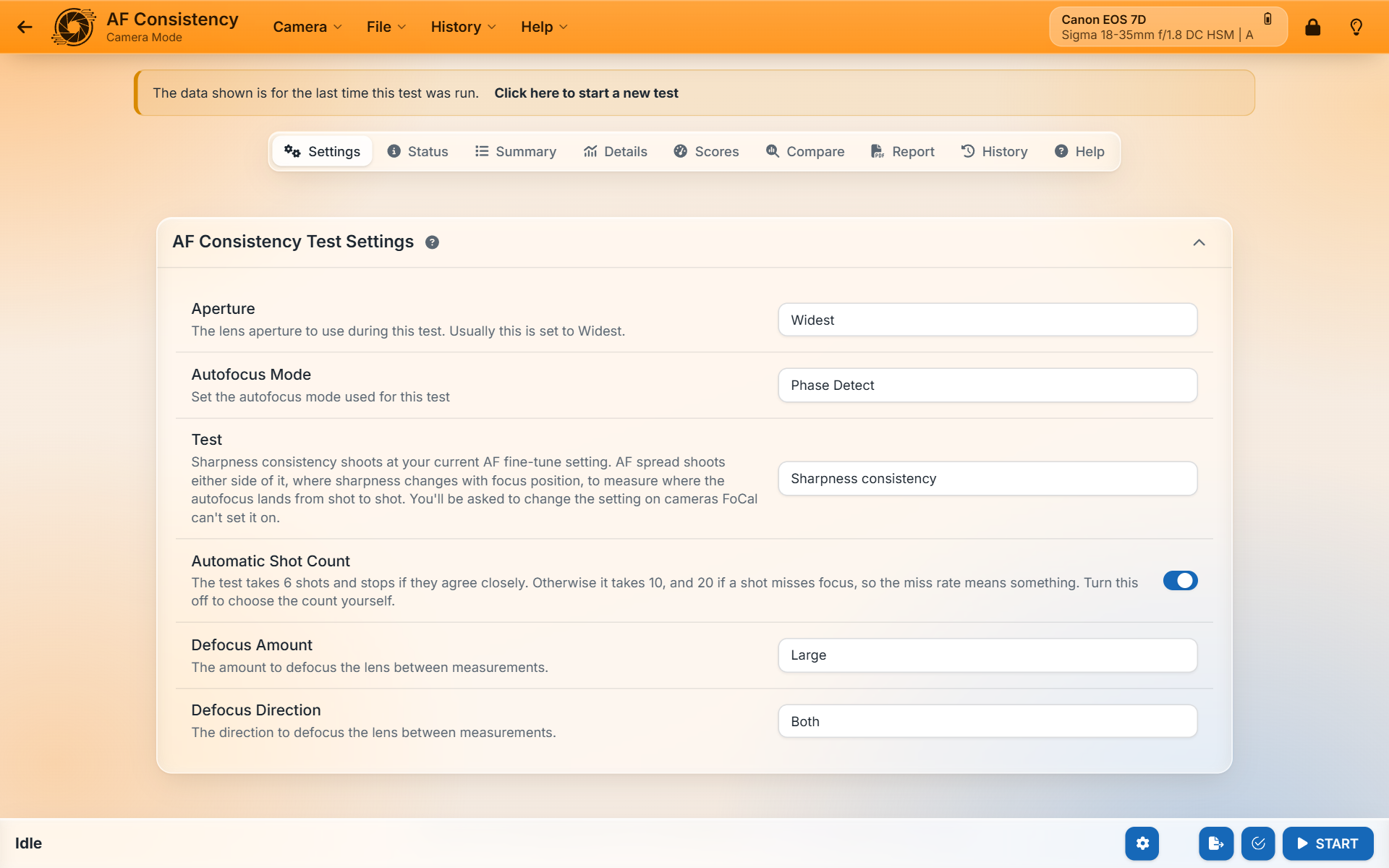
Aperture
The aperture at which FoCal takes and measures the shots. The default is Widest.
This may not change the aperture the camera focuses at. Most DSLRs focus with phase-detect autofocus with the lens wide open, then stop down to take the shot. In live view, and on mirrorless cameras, whether the camera focuses wide open or at the shooting aperture depends on the camera and its settings.
If FoCal shows "No aperture list reported by the camera", set the camera's exposure mode to Aperture Priority (A or Av).
Autofocus Mode
How the camera focuses for each shot. The options depend on the camera:
- Phase Detect: the viewfinder autofocus system of a DSLR, or the camera's normal autofocus.
- Live View AF: autofocus in live view.
- Both: for cameras with both systems. FoCal measures each point twice, once with each system, so you can compare them in one test.
- None: the camera doesn't autofocus.
Phase-detect results depend on how well the lens is calibrated. For a representative result, calibrate the lens before you run this test.
On a DSLR, choosing Live View AF shows how repeatable live view focusing is. Comparing it with Phase Detect shows how the two systems compare.
Test
On cameras with AF fine-tune, choose what the test measures:
- Sharpness consistency (the default): every shot is at your current AF fine-tune setting, and FoCal measures how much the sharpness varies from shot to shot.
- AF spread: FoCal measures how far the autofocus landing varies from shot to shot, in AF fine-tune steps. It changes the AF fine-tune setting during the test. On cameras where FoCal can't set AF fine-tune, it asks you to change it.
Automatic Shot Count
On by default. FoCal decides how many measurements to take as the test runs: as many as the result needs, usually 6 to 20, and more if a shot misses focus. With Both selected for Autofocus Mode or Defocus Direction, each measurement takes a shot for each way of focusing.
Turn it off to choose the count yourself with Point Count. AF spread always uses Point Count.
Point Count
Shown when Automatic Shot Count is off, or for AF spread. The number of measurements to take, from 1 to 100 (the default is 10). With Both selected for Autofocus Mode or Defocus Direction, each measurement takes more than one shot. More points give a more reliable result but take longer.
For AF spread, it is the number of shots, from 6 to 100, split between the two sides of your current setting.
If you changed the count from 10 in an earlier version of FoCal, your count is kept and Automatic Shot Count is off.
Defocus Amount
How far FoCal moves the focus away between measurements, so the camera has to refocus each time: None, Small or Large. The default is Large.
Defocus Direction
Which way FoCal moves the focus: Towards Infinity (the camera then focuses from far), Towards Camera (from near) or Both. The default is Both, which measures each point twice, once from each direction. This setting is disabled when Defocus Amount is None.
From FoCal 6.1, Both is the default, and Kit Check uses it too. If you had Towards Infinity set in an earlier version, it changes to Both; if you had Towards Camera, it stays.
The autofocus often lands in a slightly different place depending on where it starts: on about a third of kits, the typical sharpness from near and from far differs by 3% or more. So the main result is from far (from near only if the test has no shots from far), the way most results and the FoCal Comparison Data are measured, and from near is shown on its own line (see AF Consistency). Unless you know what you are looking for, leave these settings at Large and Both.