Kit Check
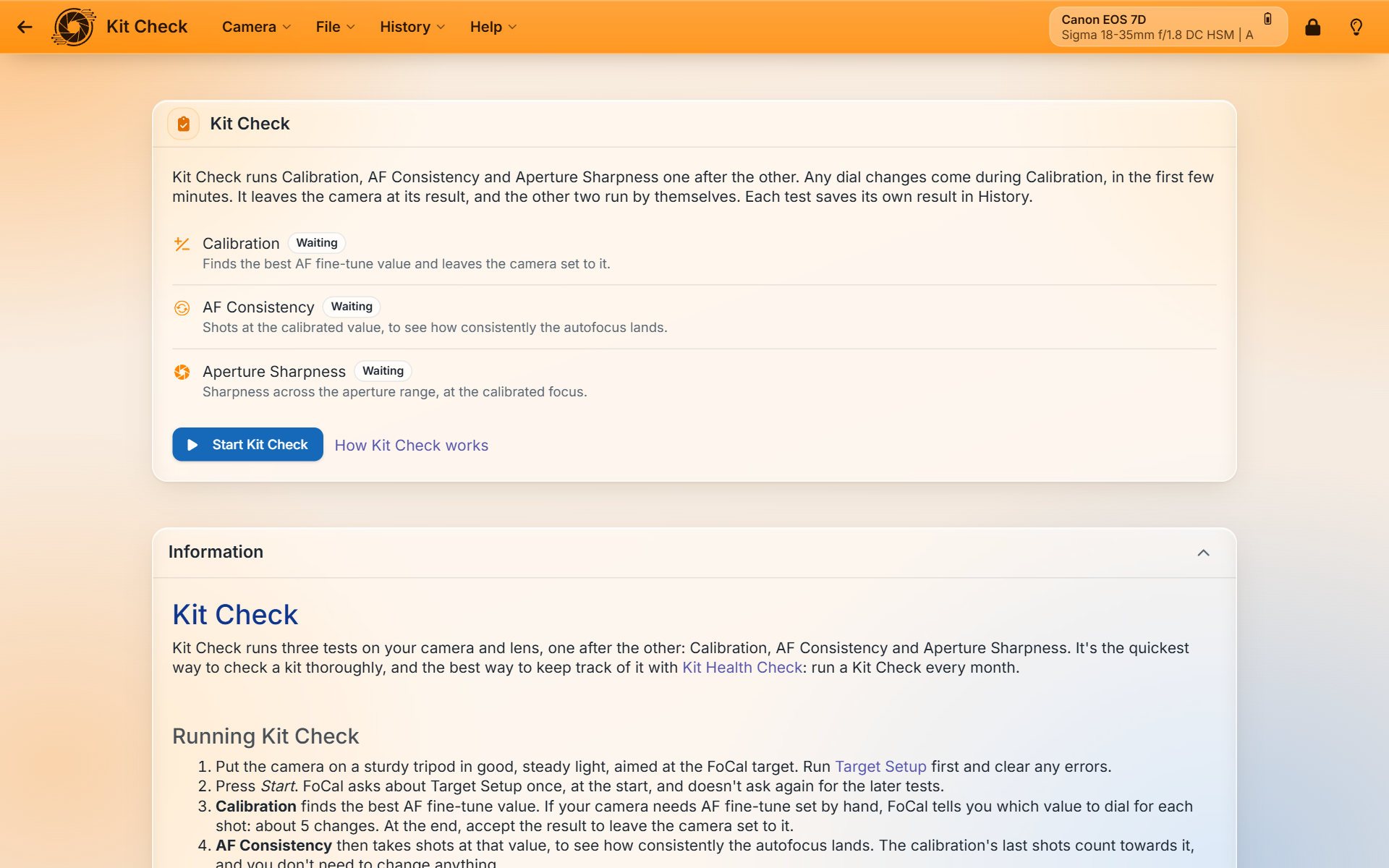
Kit Check runs three tests on your camera and lens, one after the other, from one button: Focus Calibration, AF Consistency and Aperture Sharpness. It's the quickest way to check a camera and lens thoroughly, and the easiest way to do your monthly Kit Health Check (see Kit Health Check).
Kit Check needs FoCal Pro and a camera with AF fine-tune.
Opening Kit Check
With a camera connected, click Start Kit Check in Step 2 on the Camera page, or choose Camera › Kit Check.
Setting up
Set up the camera and target as you would for a calibration: a sturdy tripod, good and steady light, and the camera aimed at the FoCal target. Run Target Setup first and clear any errors. The FoCal Setup Checklist covers everything you need.
Running Kit Check
Press Start Kit Check. FoCal asks about Target Setup once, at the start, and doesn't ask again for the later tests. The page lists the three steps, shows which one is running, and shows that test's own page while it runs.
- Calibration (Focus Calibration) finds the best AF fine-tune value. If your camera needs the AF fine-tune set by hand, FoCal tells you which value to set for each shot: about 5 changes. At the end, accept the result to leave the camera set to it.
- AF Consistency (AF Consistency) then takes shots at that value, to see how consistently the autofocus lands, focusing from near and from far. The calibration's last shots count towards it, and you don't need to change anything.
- Aperture Sharpness (Aperture Sharpness) checks the focus is at its best first, refocusing if it needs to, then takes a shot at each aperture it needs. Again, you don't need to change anything.
All the AF fine-tune changes come during Calibration, in the first few minutes. Once Calibration is done, the Kit Check strip says Nothing more to do and about how many minutes are left: the rest runs by itself. Leave the camera and target where they are until it finishes.

The whole check takes about 10 minutes.
Press Stop to stop the Kit Check. If a test fails or you stop it, Kit Check stops there. The results already saved are kept, and the later steps show as Not run.
The results
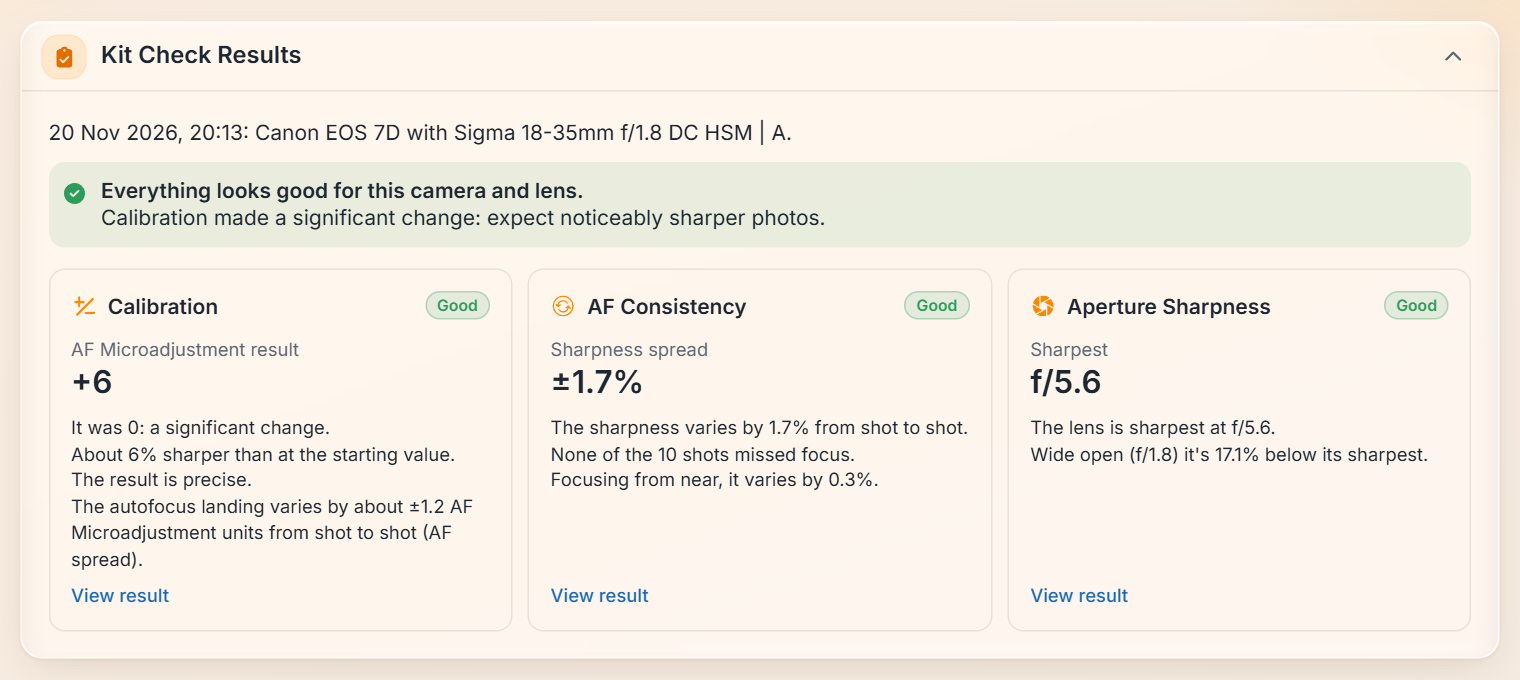
When Kit Check has finished, the Kit Check Results card shows the main result of each test:
- Calibration: the AF fine-tune result, and what it was before. It also shows how much the autofocus landing varies from shot to shot (AF spread), in AF fine-tune steps. On cameras with separate wide and tele values (for example the Canon EOS 6D and 5D Mark IV), it says which end of the zoom was set and what the other end stays at. At a mid-zoom focal length it gives the best value at that focal length and says it wasn't set, because the camera keeps one value for each end of the zoom: run Focus Calibration at the wide or tele end to set them. That step is marked Worth a look.
- AF Consistency: how much the sharpness varies from shot to shot, and any shots where the focus was missed, focusing from far (the way the comparison data is measured). Focusing from near gets its own line, compared with other near results, and it says when the shots from near were typically sharper or softer than from far.
- Aperture Sharpness: the sharpest aperture, or range of apertures.
Press View result next to a test to open its full result.
Each test saves its own result, just as if you had run it on its own. They appear in History, Kit Status and Analysis, and count towards your Kit Health Check. Each of these results shows a Part of a Kit Check card on its page in History, with the same summary and links to the other two.
Notes
- Kit Check uses its own settings for each test, so the settings you've chosen for the tests on their own don't change what it measures. Your settings are left as they were.
- Dust Analysis needs a different setup, so it's not part of Kit Check. Run it on its own, once per camera body, as part of your Kit Health Check.
- To check a lens quickly without changing its calibration, use AF Check instead.